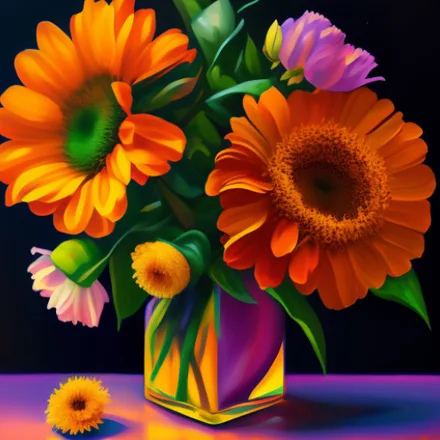

There's a reason flowers show up in art, therapy rooms, and gift shops alike: color and bloom have a way of calming the mind, and this flower wallpapers collection puts that same effect right on your lock screen. Instead of a plain default background, your phone opens to a garden of high-definition petals every time you pick it up.
Why this floral collection stands out
Rather than a handful of generic stock photos, the gallery is organized so you can browse by color, bloom type, or setting. Macro shots reveal the texture of a single petal, while wide garden scenes capture entire fields in bloom. Every picture is optimized in HD so gradients and fine detail stay smooth instead of turning blocky on a bright screen.
The app itself is free, with no hidden subscription required to reach the best wallpapers; the whole gallery is open to browse and download.
Key features
- A large library of HD and 4K flower wallpapers covering roses, orchids, sunflowers, tulips, and rarer blooms
- Vivid color grading that keeps petals looking rich rather than washed out
- Instant preview before you commit to a new background
- Separate wallpaper controls for home screen and lock screen
- A favorites folder so you can save standout blooms for later
- One-tap sharing to send a favorite wallpaper to friends and family
- New floral photography added to the collection on an ongoing basis
How to set a flower wallpaper
- Browse the flower categories or search for a specific bloom.
- Tap a thumbnail to load the full HD preview.
- Select Set Wallpaper and choose home screen, lock screen, or both.
- Confirm the change and enjoy your refreshed screen instantly.
Looks sharp on any Android display
Because screen resolutions differ from one Android device to the next, every wallpaper in this collection is prepared to scale without stretching or losing detail. Colors stay true whether you're using a compact phone or a large tablet, and the app is light enough that applying a new background takes just seconds. There's no need for a constant internet connection either; once a wallpaper is downloaded, it's yours to keep and reapply anytime.
If your mood changes with the seasons, this app makes it effortless to match your screen to it: cherry blossoms for spring, sunflowers for summer, or a single dramatic rose for a minimal look year-round. Download the app and turn your Android device into a portable garden today.